
A house can be repaired. A refrigerator full of food can be replaced. But losing the paperwork that proves who you are, what you own, and how to access your money can turn an already difficult emergency into months of extra work.
So, what do you need to protect critical documents in case of an emergency? Start with three layers: physical protection from water and fire, secure digital copies, and an organized grab-and-go system your family can use without hunting through desk drawers. This is not complicated, but it does take a little intention.
Start With the Documents That Are Hardest to Replace
Not every paper in your home belongs in an emergency file. Focus first on records that establish identity, ownership, medical needs, finances, or legal authority. If a wildfire forces an evacuation or a hurricane damages your home, these are the records that help you get medical care, file an insurance claim, access accounts, enroll children in school, and begin recovery.
Your priority documents should include birth certificates, passports, Social Security cards, driver’s licenses, marriage or divorce records, and military discharge papers if they apply to your family. Keep copies of health insurance cards, immunization records, prescription lists, medical directives, and contact information for doctors and pharmacies.
Financial and property records matter just as much. Include home and auto insurance policies, mortgage or lease documents, vehicle titles, recent tax returns, bank and investment account information, and copies of major bills that show account numbers. Homeowners should also keep a current home inventory with photos or video of each room, plus receipts or appraisals for valuable items.
For families with children, add school contact details, custody agreements where applicable, and a recent family photo. That last item may sound simple, but it can be useful if family members are separated during an evacuation or chaotic public event.
Use a Physical System That Can Handle Water, Heat, and Hurry
A filing cabinet is useful for everyday life. It is not necessarily an emergency document plan. A basement cabinet can flood, and a standard plastic tote may protect against dust but not serious water or heat.
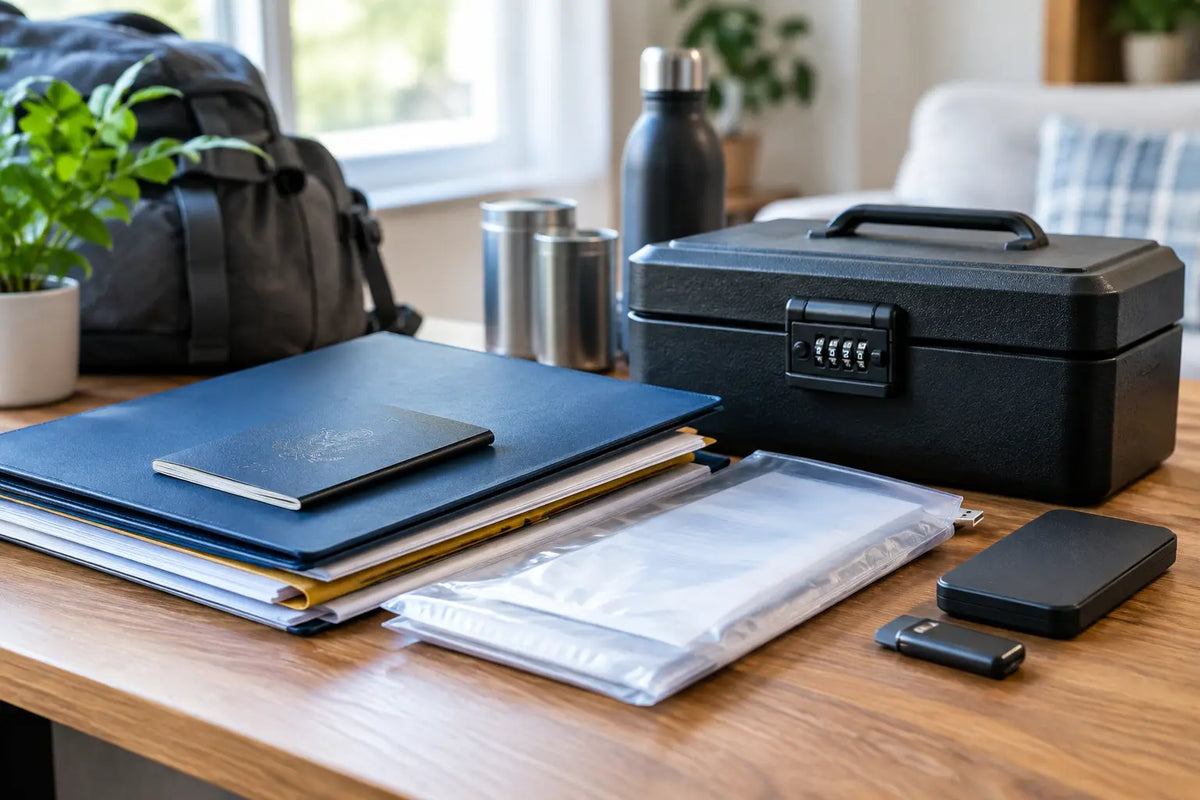
The practical answer is a small, portable, fire- and water-resistant document safe or lockbox. Choose one that is light enough for one adult to carry, yet large enough for folders, passports, a small external drive, and a few essentials. Put it in a location adults in the household can reach quickly, not buried behind holiday decorations in the garage.
Fire ratings deserve a clear-eyed look. A fire-resistant box can buy time in a house fire, but it is not a guarantee that every paper or electronic device will survive extreme heat. Water resistance is equally valuable, especially for families in hurricane, flood, or winter-storm regions. Look for a secure closure and a rating that fits the risks common where you live.
Inside the box, use labeled waterproof document pouches or heavy-duty zip bags to group records. Separate identity documents, medical records, financial documents, and home records. Clear labels reduce stress when someone other than you needs to find a file.
Keep the key or combination accessible to the adults who may need it. A lockbox nobody can open during an evacuation is only slightly better than a locked filing cabinet. Do not write the combination on the outside of the box. Instead, store it in your password manager and share emergency access with a trusted spouse or adult family member.
Keep a Small Evacuation Folder Separate
Your main safe can hold original documents, but your evacuation bag should contain a slim folder with copies of the records you may need immediately. Think identification, insurance cards, medication lists, emergency contacts, cash, and local evacuation information.
This folder should be easy to grab alongside water, medications, chargers, and a family emergency kit. If you have to leave with only a few minutes' notice, you should not be deciding which file folder is worth taking.
Build a Digital Backup You Can Actually Access
Physical copies are essential, but digital backups give your family another path when the original papers are damaged, misplaced, or left behind. Scan critical documents as PDFs, use clear file names, and organize them in folders that make sense to someone besides the person who created them.
A good naming format is simple: document type, person or account, and year. For example, “Auto Insurance - Smith Family - 2026” is easier to locate than “scan0047.” Save files in a reputable encrypted cloud storage account protected by a long, unique password and two-factor authentication.
Cloud storage is helpful, but do not make it your only backup. During a major outage, you may have limited internet access. Keep an encrypted USB drive or solid-state drive in your document safe as an offline copy. Test it once or twice a year on a different computer to make sure the files still open.
There is a trade-off here. The more copies you create, the more places sensitive information exists. Keep access limited to trusted adults, encrypt portable drives, and avoid storing passwords, PINs, or full account credentials in a plain text file. A password manager with an emergency-access feature is usually a safer choice than a notebook full of logins.
Make Your Document Plan Work for the Whole Family
Preparedness works best when it is shared. One person may organize the records, but at least one other adult should know where the safe is, how to open it, and where the digital backups are stored.
Have a calm, short conversation about what to take if your family evacuates. Show teenagers where the emergency folder is. If grandparents regularly care for children, make sure they have current medical contacts, insurance information, and authorization documents they may need during a prolonged disruption.
Pet owners should include veterinary records, rabies certificates, microchip numbers, and a current photo of each pet. Many shelters, boarding locations, and temporary housing options require proof of vaccination. Keeping those records with your own emergency documents can prevent a painful last-minute scramble.
If a family member has a chronic condition, add a one-page medical summary. List diagnoses, medications and dosages, allergies, mobility needs, medical equipment, and physicians. Update it whenever treatment changes. In an emergency room or evacuation shelter, that page can speak clearly when you are tired, stressed, or separated from regular care.
Protect Your Home Inventory Before You Need It
Insurance claims are much easier when you can show what was in your home before the damage occurred. Walk through your house with your phone and record a slow video of each room. Open cabinets, closets, storage areas, and the garage. Narrate major purchases, model numbers, and approximate values as you go.
Store the video in your encrypted cloud folder and on your offline backup drive. Update it after a renovation, a major purchase, or a move. You do not need a perfect museum catalog. A current, honest record is far better than trying to reconstruct years of possessions from memory after a loss.
For high-value belongings such as jewelry, collectibles, firearms, tools, or specialty equipment, keep serial numbers, appraisals, and clear photos. Check whether your homeowners or renters policy has coverage limits for those items. Some possessions need separate coverage, and it is much easier to ask that question before a storm is on the radar.
Review It on a Schedule, Not Only After Bad News
Document protection is not a one-time project. Children age out of old records. Passports expire. Insurance renews. Prescriptions change. A simple annual review, perhaps when you change smoke detector batteries or prepare for storm season, keeps your system useful.
Check that originals are present, digital files open, contact information is current, and your evacuation folder still reflects real life. Replace damaged pouches, update the home inventory, and remove records that no longer matter. If you move, this is one of the first preparedness systems to set up in the new home.
You do not need an elaborate command center to protect your family's paperwork. A dependable document safe, labeled waterproof pouches, encrypted digital backups, and a short review each year will cover the risks most families actually face.
Set aside one hour this weekend. Gather the documents already within reach, choose a safe home for them, and scan the first few files. That small task can give your family a steadier footing if life gets unexpectedly complicated.