
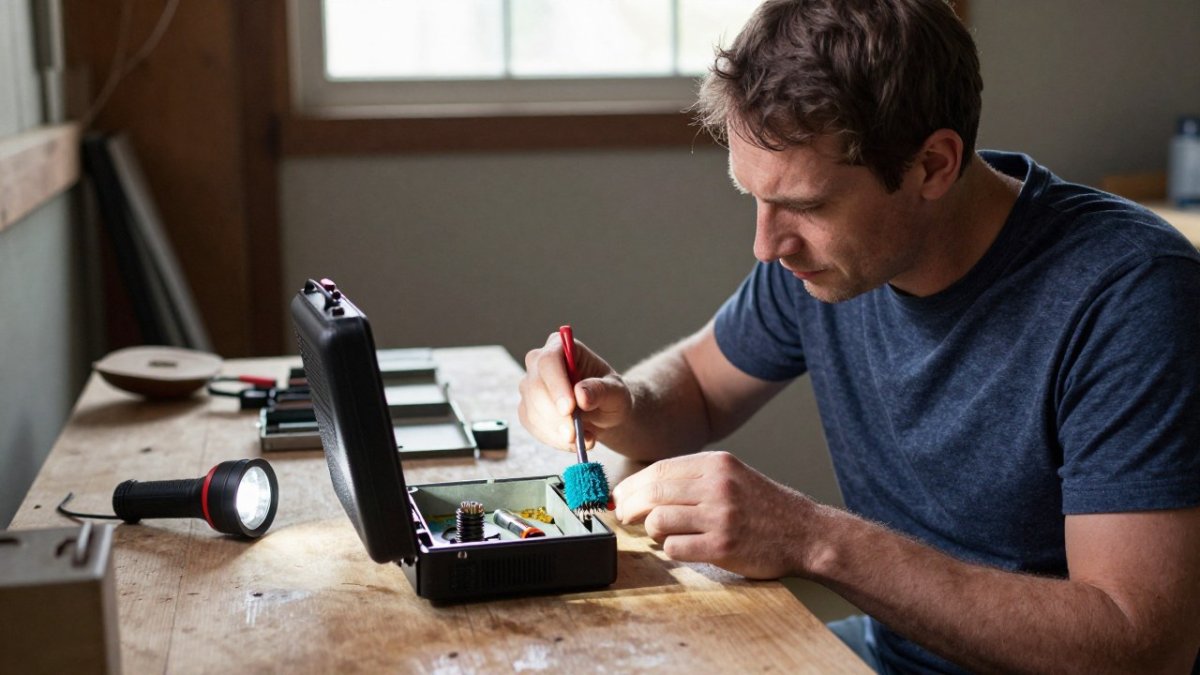
Last Updated: November 17, 2026
Quick Summary
Preventing battery corrosion in an emergency radio means removing cells from any device stored longer than 30 days, keeping radios and batteries cool and dry, and inspecting compartments every 3 months. Clean any white residue with a vinegar-dampened swab, dry fully, then test the radio.
- Alkaline batteries are the most likely to leak when left inside a device.
- Remove cells from any device stored more than 30 days to cut leak risk.
- Neutralize alkaline residue with white vinegar, then wipe with isopropyl alcohol.
- Store radios and spare cells in a cool, dry, climate-controlled closet.
- Inspect battery compartments and test radio function every 3 months.
Table of Contents
- Why Emergency Radios Are So Vulnerable to Battery Corrosion
- How to Clean Battery Corrosion from Electronics
- Battery Corrosion Safety: Protect Yourself Before You Clean
- Remove Batteries from Devices in Storage
- Emergency Radio Battery Storage That Actually Works
- Testing Radio Readiness After Maintenance
- Building Your Corrosion-Prevention Routine
- Frequently Asked Questions
Why Emergency Radios Are So Vulnerable to Battery Corrosion
Battery corrosion is the quiet killer of emergency radios, and it almost always starts while the radio sits untouched in a closet or garage. A radio you never check is a radio you cannot trust. This guide covers the seven mistakes behind most battery corrosion failures and the exact steps to prevent them.
Here is the frustrating part. The damage rarely happens during use. It happens during months of silent storage, when a cheap cell starts to vent and eats through the metal contacts that make your radio work.
What Causes Batteries to Leak or Corrode
Battery leakage is the escape of electrolyte from inside a cell, and it happens most often when a battery is left in a device too long. Alkaline batteries slowly release gas as they age. When that pressure builds, the seal can fail and potassium hydroxide seeps out.
That liquid reacts with the metal contacts and turns into the white powder you have seen crusted inside a battery compartment. Heat speeds the process up. So does a device that draws a small trickle of power even when switched off.
The Hidden Cost of a Corroded Battery Compartment
A corroded battery compartment does more than look ugly. Terminal corrosion blocks electrical contact, so the radio either dies fast or will not power on at all. Left long enough, the residue eats into the circuit board and the damage becomes permanent.
The real cost is trust. Reaching for a dead radio during a blackout is a hard lesson about gear that was never checked.
How to Clean Battery Corrosion from Electronics
Learning how to clean battery corrosion from electronics safely takes about ten minutes and a few household items. The key is to neutralize the residue first, then dry every surface completely before power returns.
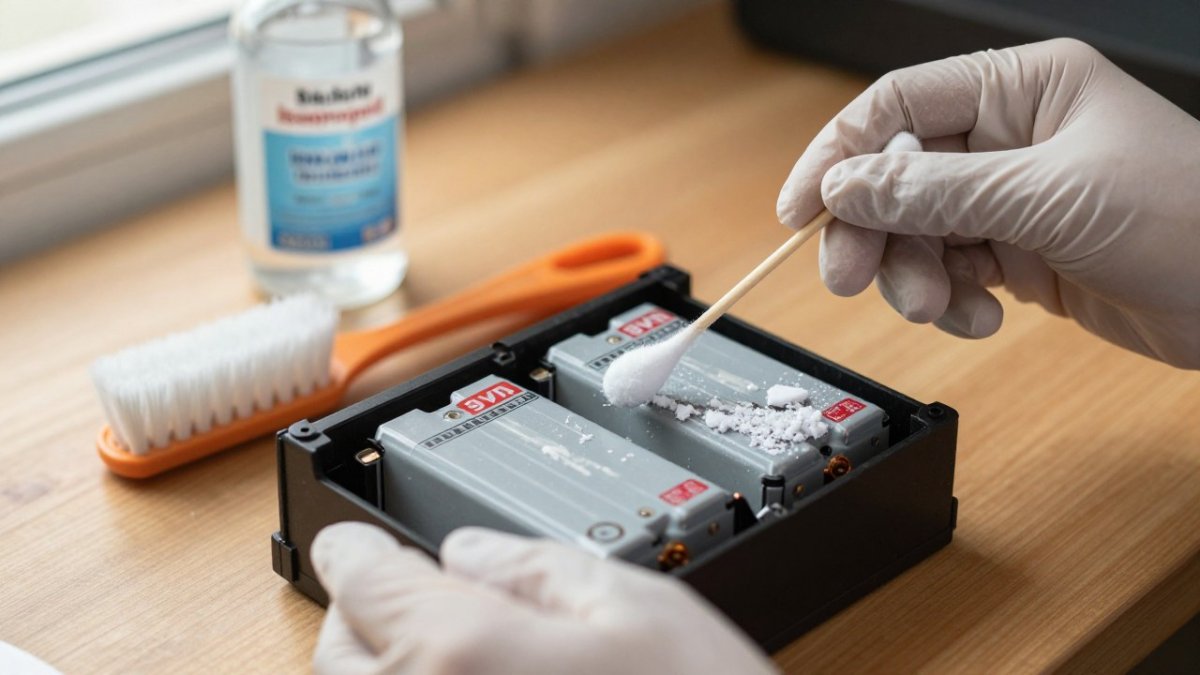
Step-by-Step Terminal Cleaning
- Power off and unplug the device. Before handling leaked material or removing leaking cells, put on protective gloves and safety glasses. Follow the battery and radio manufacturers’ handling and disposal guidance.
- Keep gloves and safety glasses on throughout handling and cleaning. Avoid skin and eye contact with battery residue.
- Dip a cotton swab in white vinegar. Dab it on the white powder. Alkaline residue is basic, so a mild acid neutralizes it. Do not flood the compartment; a damp swab is enough.
- Scrub gently with a soft brush. Work the residue off the battery contacts and the battery holder. An old toothbrush reaches the corners of the compartment without scratching the plating.
- Reach the tight spots with a cotton swab. Do not scrape metal with anything sharp. A wooden toothpick can lift crust from a recessed spring without gouging the contact.
- Wipe away the loosened residue with a clean cloth. Then dampen a fresh swab with isopropyl alcohol and go over the terminals to lift anything left behind and speed drying.
Watch out: vinegar and alcohol are safe on most metal contacts but can dull some plastics and printed labels, so keep both off the radio's display, speaker grille, and any rubber gaskets.
Rinsing, Drying, and Restoring Contact
Dry thoroughly before you reinstall anything, and avoid over-wetting so moisture never pools near the electronics. Do not blow battery residue into the air. Avoid inhaling dust; if you cannot safely reach the contaminated area, stop and seek the radio manufacturer’s service advice.
Once dry, check that each spring and plate makes firm contact. Look for pitting, green or white crust that survived cleaning, and any spring that has lost tension. If a terminal is pitted or broken, the radio needs service before you rely on it.
Cleaning Tight or Hard-to-Reach Compartments
Some emergency radios have narrow compartments, recessed contacts, or a battery door that blocks your view. For those, wrap a cotton swab around a toothpick to extend your reach, or fold a piece of fine-grit sandpaper around a pencil eraser to polish a stubborn contact. Work under bright light and take a photo with your phone before you start so you can confirm every spring is in the right position when you finish. If residue has crept under the plastic housing, stop cleaning and have the radio inspected rather than prying the case open.
Battery Corrosion Safety: Protect Yourself Before You Clean
Battery corrosion safety comes down to one rule: treat the residue as a chemical, because that is what it is. Potassium hydroxide can burn skin and eyes, so gloves and eye protection are not optional (the CDC).
- Never touch white powder with bare hands.
- Keep your hands away from your face while cleaning.
- Work in a ventilated space, not a sealed closet.
- Wash hands with soap and water when you finish.
- If residue touches your skin or eyes, rinse with fresh water and follow the CDC guidance on chemical exposure first aid.
- Dispose of leaking batteries properly through your local household hazardous waste program.
Watch out: scrubbing a swollen or cracked battery can spread electrolyte further. If a cell is damaged, seal it in a bag and remove it without scrubbing.
Remove Batteries from Devices in Storage
The simplest fix in this entire guide is to remove batteries from devices in storage. A radio that sits unused for months should never hold cells. Pull them out, and the corrosion risk drops to almost nothing.
Follow this routine:
- Label each set of batteries with the date you removed them.
- Store cells in a cool, dry container, not loose in a drawer.
- Keep batteries away from metal objects that can short the terminals.
- Rotate older cells into everyday devices first.
- Check stored devices every few months for stray residue.
This one habit prevents most of the failures we hear about from families who stored a radio "just in case" and found it ruined when they needed it.
Emergency Radio Battery Storage That Actually Works
Good emergency radio battery storage means matching the chemistry to the job and controlling the conditions. Store radios and cells in a cool, dry place. Heat and humidity are the two biggest accelerators of leakage and terminal corrosion. Avoid garages that swing from hot to freezing, and skip damp basements. A climate-controlled closet is a better home for gear you need to trust.
Choosing the Right Battery Chemistry
Alkaline batteries are convenient and hold a charge for years on a shelf, but they are the most likely to leak if left in a device. Rechargeable nickel-metal hydride cells leak less often, though they lose charge over time and need periodic topping off. Lithium primary cells handle cold and long storage well but cost more and should not be recharged.
A practical pattern many preppers use is to keep the radio loaded with rechargeable cells for regular use and store a sealed pack of lithium primary cells beside it as a backup. You can browse batteries built for emergency gear, or compare USB rechargeable AA batteries as a leak-resistant option for your radio.
Long-Term Storage in Emergency Kits
Long-term storage in emergency kits follows the same logic, with a few radio-specific twists. Keep spare cells sealed in original packaging, note the expiration date, and store them beside the radio rather than inside it.
Battery orientation matters less than people think, but keeping cells in their packaging prevents the terminals from touching loose keys, coins, or tools that can short them. Our guide to climate-controlled storage for emergency gear covers the conditions that keep stored electronics and cells in working shape.
A Radio-Specific Inspection and Rotation Schedule
Most general battery advice stops at "store them cool and dry." A radio that must stay ready needs a schedule. A workable routine is to inspect the battery compartment regularly, pull and test the cells, and confirm the radio powers on and holds a station. Replace backup cells before their expiration date rather than after, and never leave alkalines in a radio that will sit unused for more than a month.
Testing Radio Readiness After Maintenance
Testing radio readiness is the step most people skip, and it is the one that proves your work paid off. After cleaning and drying, install fresh batteries and power the radio on.
Run this check:
- Confirm the radio powers on and holds a station.
- Test the weather band and any alert tone.
- Check the volume and the antenna.
- Note the battery level and mark your calendar for the next check.
- Repeat the full inspection every few months.
A radio that passes this test is one you can count on. If yours is beyond saving, a solar phone charger emergency radio gives you a reliable replacement that also keeps your phone charged.
Building Your Corrosion-Prevention Routine
A corrosion-prevention routine beats any single cleaning trick, because prevention is what keeps a radio alive between emergencies. Build these habits into your household plan and repeat them on a schedule.
| Task | How Often | Why It Matters |
|---|---|---|
| Inspect battery compartments | Every 3 months | Catches residue before it spreads |
| Remove cells from stored devices | Any storage over 30 days | Removes the main leak risk |
| Clean terminals with vinegar | When residue appears | Restores electrical contact |
| Test radio function | Every 3 months | Confirms the radio actually works |
| Rotate and date battery sets | Every 6 months | Keeps fresh cells in the kit |
Fold this into your wider readiness plan. Our list of survival gear picks for long-term grid-down readiness helps you build a kit that stays functional when the power goes out.
A dead radio during a blackout is a failure you can prevent with a few minutes of care every season. SHTF Prepper Club helps families stay ready with expert-vetted power and safety gear, comprehensive preparedness guides, and long-term food storage built to last up to 25 years.
Frequently Asked Questions
How do you prevent batteries from corroding in an emergency radio?
The most effective step is to remove batteries from any radio you are not using for weeks or months at a time. Store the batteries separately in a cool, dry place. For radios kept in active rotation, inspect the battery compartment every few months, keep the contacts clean and dry, and avoid mixing old and new batteries or different chemistries in the same device. These habits dramatically reduce the chance of leakage and terminal corrosion.
Is battery corrosion dangerous to touch?
The white crusty residue from an alkaline battery is usually potassium carbonate, which can irritate skin and eyes. Wear protective gloves and eye protection when cleaning. Avoid inhaling dust from dried residue; work in a ventilated area. If residue contacts your skin, rinse with fresh water. If it gets in your eyes, flush thoroughly and seek medical attention. Never handle a battery that is hot, swollen, or actively leaking without protection.
Can corroded battery contacts be repaired?
Mild terminal corrosion often can be cleaned successfully. Remove the batteries, neutralize alkaline residue with a small amount of white vinegar on a cotton swab, then wipe with isopropyl alcohol and dry thoroughly. For heavier corrosion, gently scrub with a soft brush. If metal contacts are pitted, broken, or corroded through, the radio may need service or replacement. After cleaning, test the radio with fresh batteries to confirm proper electrical contact.
What is the best way to store batteries for an emergency radio?
Keep batteries in their original packaging or a battery holder, away from metal objects that could short the terminals. Store them in a cool, dry location, not a hot garage or damp basement. For long-term storage in emergency kits, keep batteries separate from the device and rotate them on a schedule. Label batteries with the purchase date so you can rotate the oldest stock first.
