
Table of Contents
- Why Monthly Testing Keeps Your Medical Alert System Reliable
- What You'll Need Before You Test Your Medical Alert System
- Step-by-Step: How to Test Your Medical Alert System Monthly
- Your Medical Alert System Monthly Test Checklist
- A Simple Medical Alert System Test Call Script
- Medical Alert System Battery Check and Connectivity Verification
- Troubleshooting: What to Do When Your Medical Alert System Fails the Test
- Testing Fall Detection and Mobile Devices Safely
- Frequently Asked Questions
Last Updated: October 12, 2026
Why Monthly Testing Keeps Your Medical Alert System Reliable
A medical alert system only works if the signal reaches the monitoring center when you press the button, which is why learning how to test your medical alert system monthly matters.
Monthly testing catches the quiet failures: a low battery, a dead landline, a weak cellular connection. These problems rarely announce themselves. They wait until the worst possible moment.
Test Call vs. Real Emergency: What the Monitoring Center Sees
A test call is a scheduled, non-urgent check: you tell the operator ahead of time, so they log it as a drill. A real emergency call triggers immediate dispatch of police, fire, or medical help. Press the button without warning anyone and responders may show up at your door.
What You'll Need Before You Test Your Medical Alert System
Gather these first; the whole process takes about 10 minutes.
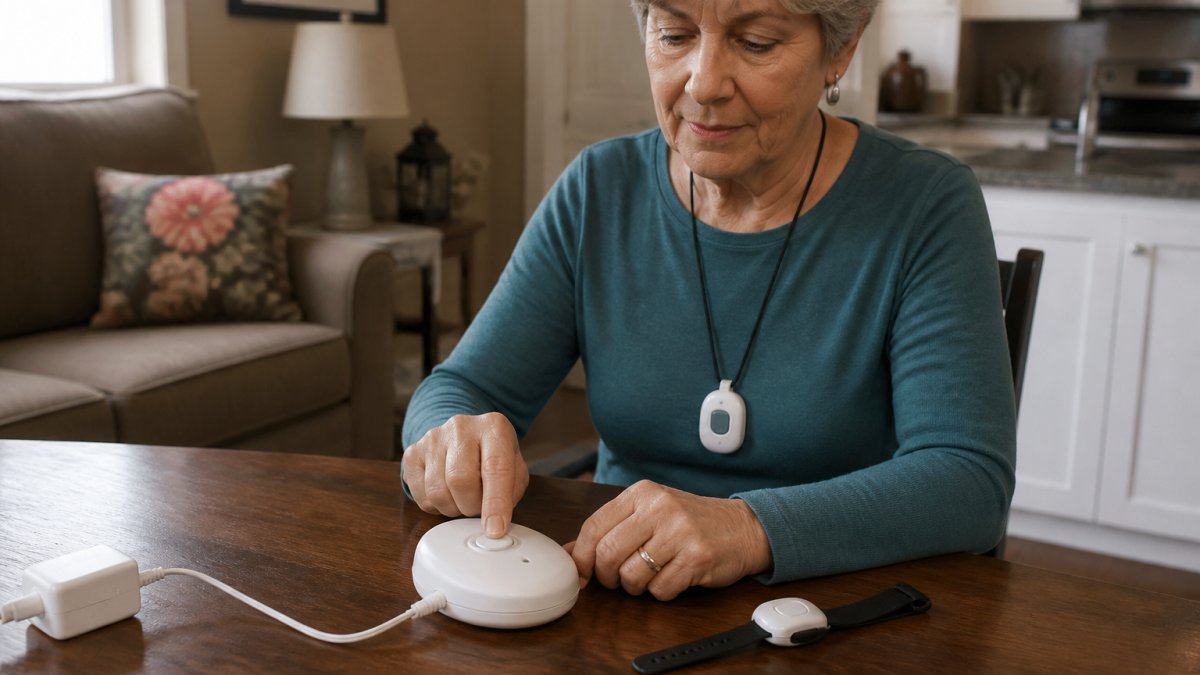
- Your pendant or wrist button, fully charged
- The base unit, plugged in and powered on
- Your account number or password for the monitoring center
Step-by-Step: How to Test Your Medical Alert System Monthly
Set aside ten minutes on a calm day. Work through each step in order, and do not skip the voice test.
Step 1: Notify the Monitoring Center
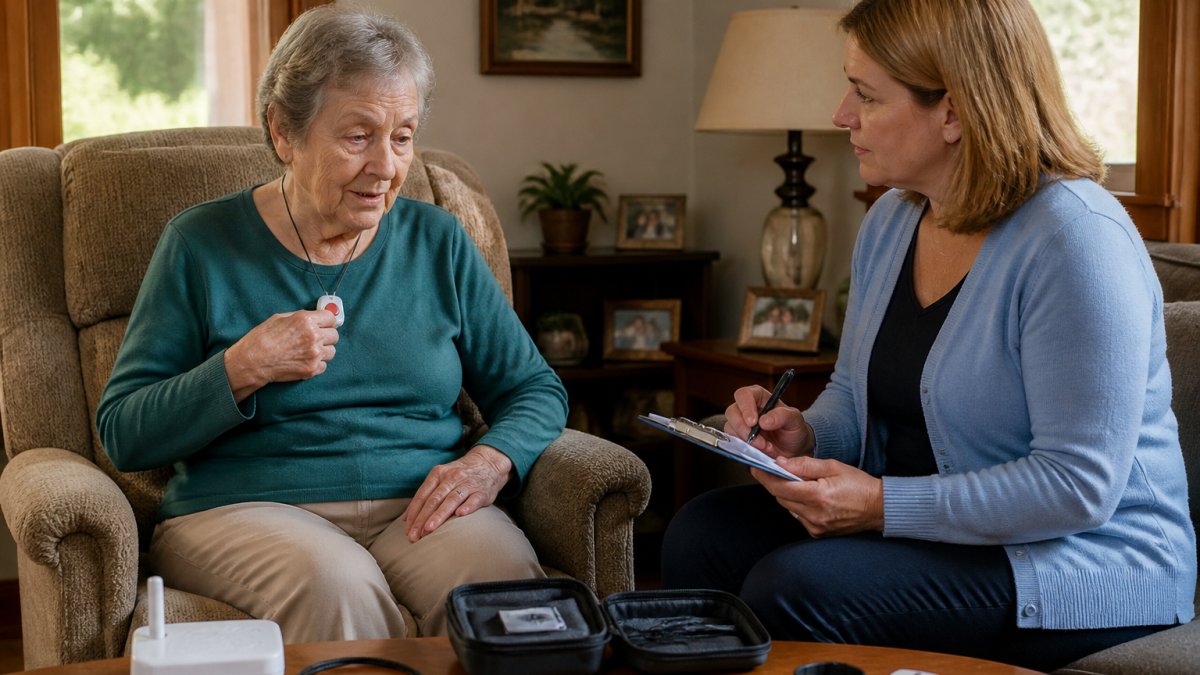
Call the monitoring center first with your account number and say you are running your monthly test. The operator will place your account in test mode so any signal is logged as a drill.
Ask the operator to confirm your contact list while you have them on the line. Wrong phone numbers are one of the most common problems.
Step 2: Press the Help Button and Confirm the Signal
Move at least 20 feet from the base unit, then press the help button. A beep or voice confirms the signal traveled from the wearable. The operator should come through the speaker within a minute; if nothing happens, move closer and press again.
Step 3: Test Two-Way Voice Communication
Speak in a normal voice toward the base unit and ask if the operator hears you clearly, then listen to their reply. Both directions must work.
Walk to another room and repeat. Voice quality often drops with distance or walls.
Your Medical Alert System Monthly Test Checklist
Run through this medical alert system monthly test checklist every time, it takes two minutes and prevents missed steps.
- Charge the pendant or wrist button fully
- Check the base unit is plugged in and the power light is on
- Call the monitoring center and request test mode
A Simple Medical Alert System Test Call Script
Use this script when you call in. It keeps the call short and gives the operator everything they need.
"Hi, this is [your name], account number [your number]. I'm running my monthly test on my medical alert system.
After the test, call back or stay on the line and say:
"Test complete. Signal received and voice communication confirmed. Please take my account out of test mode. Thank you."
Write your account number on a card and keep it near the base unit so you are not hunting for it during a real emergency.
Medical Alert System Battery Check and Connectivity Verification
Batteries and connections are the two most common reasons a monthly test fails, so check both every month, not just when the device warns you.
Pendant and Wrist Button Batteries
Rechargeable wearables typically hold a charge for two to five days, and most base units announce low battery with a beep, voice prompt, or amber light. Do not wait for that warning, charge the pendant the night before your test. For non-rechargeable models, note the battery type in your manual (often a CR2032 coin cell or sealed pack) and replace it on the manufacturer's schedule, typically every 12 to 24 months.
Base Unit Backup Battery
Every base unit should have a backup battery that keeps it running during a power outage. Test it the same way each month:
- Confirm the base unit is plugged in and the power light is steady.
- Unplug the power cord from the wall for 30 to 60 seconds.
- Watch the unit. If it stays on and the display or lights remain active, the backup is working.
- Plug the cord back in and confirm the unit returns to normal.
If the unit dies the moment you unplug it, the backup battery has failed, replace it on the schedule in your manual. Backup batteries degrade even when never used, so a three- or four-year-old unit may need a fresh pack regardless of last month's performance.
Cellular Connectivity
Cellular systems need no phone line but do need a usable signal. Check the base unit's signal indicator, most show bars or a labeled light. If it reads weak or absent:
- Move the base unit to an interior wall away from metal appliances, refrigerators, and thick concrete.
- Place it near a window on the side of the home that faces the nearest cell tower.
- Keep it at least a few feet from Wi-Fi routers, cordless phone bases, and microwave ovens, which can interfere with reception.
If the signal stays weak no matter where you place the unit, call the provider, some ship an external antenna or a different base unit for weak-coverage homes.
Landline Connectivity
If your system uses a traditional phone line, pick up a handset and listen for a dial tone.
A frequent failure point is the phone line itself being repurposed. If your household has switched to internet-based phone service, a traditional landline alert system may not work at all. Confirm with your provider whether your system supports digital phone service, and if not, ask about a cellular upgrade.
What to Record
Log each check in your test log: pendant charge level, base backup result, signal strength, and landline dial tone. Declining signal strength or a backup that lasts only seconds warns that a component is nearing end of life, catching that in month three beats discovering it in an emergency in month nine.
Troubleshooting: What to Do When Your Medical Alert System Fails the Test
Fix problems by symptom. Most failures fall into four buckets.
| Symptom | Likely Cause | Fix |
|---|---|---|
| No beep from base unit | Dead pendant battery | Charge the device overnight |
| Beep but no operator | Weak cellular signal | Move base unit near a window |
| Operator cannot hear you | Microphone blocked or too far | Speak closer, clear the microphone |
| Base unit dead when unplugged | Backup battery failed | Replace the backup battery |
If two fixes do not solve it, call the provider's support line. Do not keep pressing the button to troubleshoot. That creates repeated false signals.
Testing Fall Detection and Mobile Devices Safely
Fall detection and mobile GPS systems need a different testing approach than a standard pendant. The single most important rule: never deliberately fall to test automatic detection. A real fall can cause injury, and no test is worth a broken hip. Follow the manufacturer's approved procedure instead.
How Fall Detection Actually Works
Automatic fall detection uses an accelerometer and gyroscope to recognize the motion signature of a fall, then waits 20 to 60 seconds for the wearer to cancel before contacting the monitoring center. Because it interprets motion, it can be triggered by a hard sit-down, a dropped device, or a stumble you recover from, which is why safe testing matters.
Safe Ways to Test Fall Detection
Most providers offer one of these approved methods. Check your manual or call support to find out which applies:
- Built-in test mode. Some wearables have a test sequence you activate through the device or a companion app. The unit simulates the fall signal internally without any real motion.
- Manufacturer test button. A few models include a dedicated test button on the charger or base unit that triggers the fall-detection circuit.
- Support-assisted test. If no self-test exists, call the monitoring center, ask them to place your account in test mode, and follow whatever procedure the provider gives you. Do not improvise.
If your provider has no safe test method, do not attempt one. Confirm the feature is enabled in your account settings and rely on the monthly button test to verify the overall signal path.
Testing Mobile GPS Devices
Mobile systems with GPS report your location when you press the button. Test them in two places: at home and at one spot you visit often, such as a grocery store, doctor's office, or walking route.
- Take the device outside and walk about a block, or drive to your second test location.
- Press the help button and wait for the operator.
- Ask the operator to read back the location they see on their screen.
- Compare that location to where you actually are. A small offset of a few dozen feet is normal for GPS. A location that is blocks or miles off is a problem worth reporting.
- Confirm the operator can hear you and that you can hear them.
Testing in two locations matters because coverage varies. A dead zone near your regular pharmacy is worth knowing about before you need help there.
What to Verify With the Monitoring Center
Every test, pendant or mobile, should confirm three things with the operator:
- Account and location. Ask the operator to confirm your name, address, and the location they see on their screen. Wrong addresses are a common and dangerous error.
- Two-way audio. Confirm the operator can hear you clearly and that you can hear them.
- Contact list. Ask them to read back your emergency contacts and their phone numbers. Update anything that has changed.
Accessibility and Caregiver Roles
If the user has hearing, speech, mobility, or memory limitations, adjust the test accordingly:
- Hearing loss. Ask the operator to speak slowly and confirm the base unit volume is at its highest setting. Some units support an optional louder speaker or a visual alert.
- Speech difficulty. Agree on a simple phrase or a pre-arranged code word the operator will recognize, and confirm the operator can understand it during the test.
- Mobility limits. Do the distance test from a chair or bed rather than walking room to room, and note whether the signal still reaches the base unit.
Caregivers should also confirm the account is taken out of test mode at the end of the call. A forgotten test mode can delay a real emergency response.
Frequently Asked Questions
How often should I test my medical alert system?
Most manufacturers and monitoring services recommend testing your medical alert system once a month. Regular monthly testing confirms the help button, base unit, cellular or landline connection, and two-way voice communication all work. Pick a consistent date, like the first Saturday, and set a calendar reminder. If you have a mobile GPS device, test it both at home and while you're out, since signal coverage can vary by location.
Can I test my medical alert system without triggering an emergency response?
Yes. Call your monitoring center first and tell the operator you're performing a scheduled test. They will place your account in test mode or note the incoming signal as a test. Then press your help button as usual. When the operator answers, say clearly: "This is a test." After the test, confirm with the operator that your account is back to normal monitoring status.
What should I say when the monitoring center answers a test call?
Keep it short and clear. Say your full name, your account number if you have it handy, and the phrase "This is a test." For example: "Hi, this is Mary Johnson, account 12345. This is a monthly test of my medical alert system." The operator will confirm they received your signal and may ask you to verify your address or speak again to check the microphone. Stay on the line until they tell you the test is complete.
What should I do if my medical alert system does not connect during a test?
First, check that the base unit is plugged in and the outlet has power. Verify the phone line is securely connected if you use a landline, or check the cellular signal indicator on the base unit. Try pressing the help button again. If it still fails, call your provider's customer support line from a different phone. They can run a remote diagnostic and may send a replacement unit. Never rely on a system that fails two consecutive tests.
A medical alert system is only as reliable as its last successful test. A dead battery or a dropped cellular signal can turn a safety net into a false sense of security. SHTF Prepper Club carries expert-vetted safety gear and preparedness guides designed to keep your household ready without the fear. Our curated kits cover power, water, food storage, and safety so you can build a plan step by step. Get started with SHTF Prepper Club and put a real, tested safety plan in place for your family.